Docker wrong credentials
· One min read
Resolving Docker Error
I have gotten an issue while attemting to build a Docker image with the following command:
docker build -t izfaha/express:v1 .
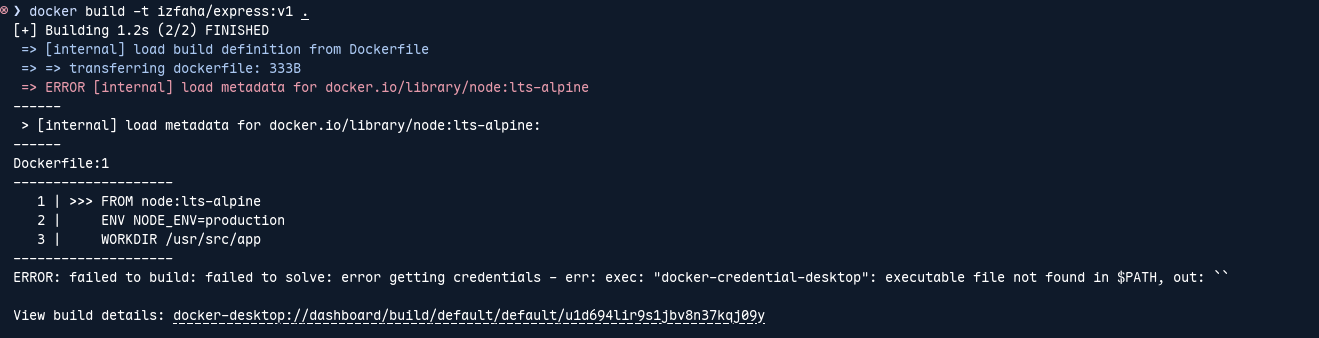
And I encountered this error:
Cannot connect to the Docker daemon at unix:///home/ray/.docker/desktop/docker.sock. Is the docker daemon running?
How do I tackle?
Root cause is:
First, Docker CLI was configured to use Docker Desktop, even though I was running native Docker in linux.
Second, the configuration file at ~/.docker/config.json contain:
{
  "auths": {},
  "credsStore": "desktop",
  "currentContext": "desktop-linux"
}
This caused Docker to:
-
Attempt to connect to a nonexistent socket:
/home/ray/.docker/desktop/docker.sock -
Call missing credentials helper:
docker-credential-desktop
Solution
Ensure Docker Daemon is Running
sudo systemctl start docker
sudo systemctl enable docker
Switch Context to the Default Linux One
docker context use default
docker context ls               # to verify docker context set to default
Remove Faulty Docker Desktop Configuration
rm -rf ~/.docker